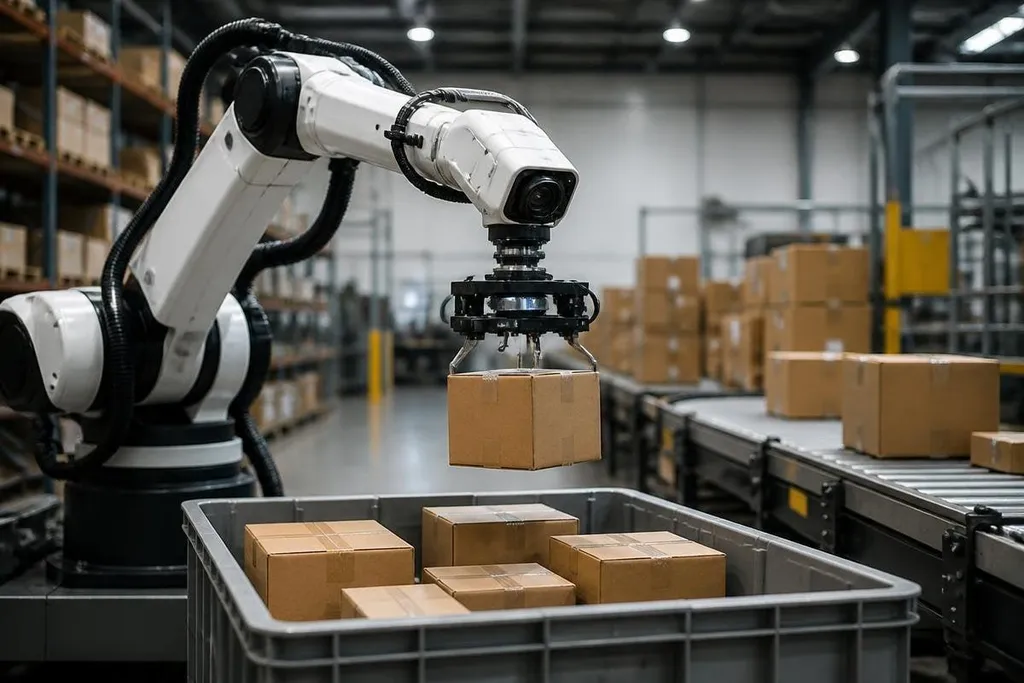
A robot camera does more than record a scene. Its software turns light, depth, and motion into a working estimate of what sits where, which lets the robot choose its next move.
For an industry reader, the useful question is not whether robot vision sounds smarter. It is whether the system can spot the right object, judge its position, and act safely when the scene changes.
- Vision links sensors to robot motion.
- Depth data helps a robot judge distance and height.
- The hard test is reliable action outside a fixed demo.
From pixels to a scene map
A camera sends the robot an image made of pixels. That image does not tell the robot what an object is, where its surface begins, or how far away it sits. Software has to estimate those details.
A color camera records light across visible wavelengths. A depth camera adds distance for each part of the view, while LiDAR measures distance with laser pulses. Each sensor gives the robot a different piece of the scene.
The robot can combine those inputs into a 3D map. That map may show a box on a shelf, the edge of a tote, or an open area on a factory floor. The robot then compares the map with its task and its arm position.
This step matters because a small location error can change the whole motion. A gripper aimed a few centimeters away from a handle may close on empty air, hit the box, or push the item farther into the bin.
Recognition now has to work during motion
Older vision setups often worked best with fixed cameras, fixed lighting, and objects placed in known spots. Those conditions reduce the amount of scene data the software has to sort.
A working robot sees a less tidy scene. Boxes overlap, plastic bags fold over themselves, people pass through the camera view, and shadows change as the arm moves. Vision software has to keep updating its estimate instead of treating the first image as the final answer.
Object detection marks what the system thinks it sees. Segmentation goes further by marking the pixels that belong to each object. Pose estimation adds the object’s angle, which matters when the gripper must approach a handle, socket, or flat face.
These terms describe separate jobs. A system may recognize a part but still lack the angle or depth needed to pick it up. That gap is why a good image does not always lead to a good grasp.
A camera can locate a part while the robot still reaches from the wrong angle. Robot vision reports from Robot24.com connect sensor claims to named machines and factory tasks, so you can see when image data changes the robot’s motion. The next section follows that change into the control loop.
Better vision can change the robot’s control loop
The control loop is the repeated cycle in which the robot senses the scene, chooses a move, checks the result, and adjusts. Vision sits inside that cycle rather than acting as a separate camera feature.
Suppose an arm reaches for a part and the part shifts. A vision system that updates its position can send a new target to the arm. The robot may slow down, change its grip, or ask for a new view before it continues.
That extra check can reduce failed picks and collisions, but it also adds work for the computer and the robot controller. More camera data does not fix poor lighting, a blocked view, a loose mount, or a gripper that cannot hold the item.
The scene can also contain objects the system has never seen. In that case, the robot may need a person to confirm the item, label new training data, or take control through teleoperation. Automatic action still depends on a clear limit for uncertainty.
What remains unproven
A short demo can show that a robot recognizes one object in one setting. It does not show how the system performs after dust covers a lens, a box changes color, or several items overlap.
The useful evidence is tied to the job: the object types, lighting range, camera position, grasp success rate, recovery steps, and number of human interventions. Without those details, “better vision” describes a direction, not a buying decision.
I’d be cautious about any system that reports recognition results without showing the full motion from camera input to completed task.
A buyer’s vision checklist
Use these points when comparing a robot vision system for a real work cell:
- Name the sensor: record the camera type, depth method, field of view, and mounting position.
- Define the task: list the object shapes, sizes, surfaces, and allowed grasp points.
- Test scene changes: vary light, object placement, overlap, and background color.
- Measure action: count successful picks, collisions, retries, and human takeovers.
- Check recovery: see what the robot does after a missed detection or moved object.
- Price the full setup: include cameras, compute hardware, software, integration, and service.
The next useful step for robot vision is not a larger claim. It is a clear record of how often the system turns a changing view into a correct physical action, and how much human help it still needs.